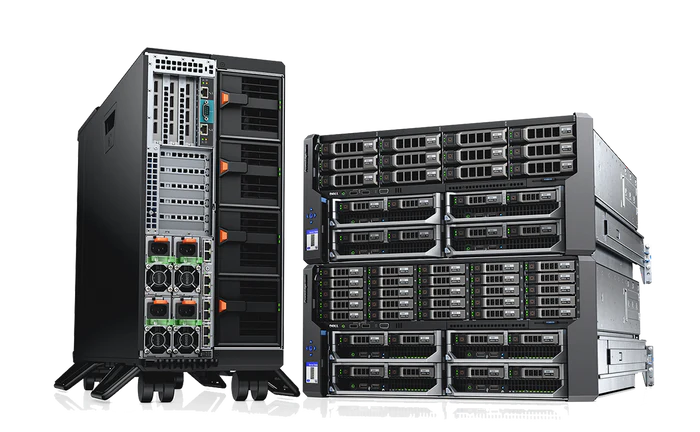
Modern businesses are rapidly shifting toward flexible, secure, and scalable IT environments. One of the most impactful technologies enabling this shift is VDI servers (Virtual Desktop Infrastructure servers). These systems are redefining how organizations deliver desktops, manage data, and support remote workforces across industries.
As enterprises continue to embrace hybrid work models and cloud-based operations, VDI servers have become a cornerstone of digital transformation. They provide centralized control, improved security, and cost-efficient desktop management, making them an essential component of modern IT infrastructure.
This guest post explores the architecture, benefits, use cases, and future of VDI servers, along with insights into why facility management support is critical for maintaining high-performance environments.
Understanding VDI Servers
VDI servers are powerful backend systems that host and manage virtual desktops in a centralized data center environment. Instead of running applications and operating systems on individual physical computers, VDI servers allow users to access their desktop environments remotely through virtual machines.
Each virtual desktop is hosted on a centralized server and delivered to end users over a network. These desktops behave exactly like traditional PCs but are managed centrally, which simplifies IT administration and improves security.
In essence, VDI servers decouple the desktop environment from physical hardware, enabling users to access their workspaces from laptops, thin clients, tablets, or even mobile devices.
How VDI Servers Work
The architecture of VDI servers is built on virtualization technology. It consists of several key components that work together to deliver seamless desktop experiences.
1. VDI Host Servers
These are high-performance physical servers that run virtualization software and host multiple virtual desktops simultaneously.
2. Hypervisor Layer
The hypervisor divides physical resources such as CPU, memory, and storage into virtual machines, each representing a desktop environment.
3. Virtual Desktops
Each user is assigned a virtual desktop that runs independently within the VDI server infrastructure.
4. Connection Broker
This component manages user authentication and connects users to their assigned virtual desktops.
5. Storage Systems
Centralized storage ensures that all user data, applications, and system files are securely stored and easily accessible.
By combining these components, VDI servers deliver a seamless desktop experience that is both scalable and secure.
Key Benefits of VDI Servers
1. Centralized Management
One of the biggest advantages of VDI servers is centralized administration. IT teams can manage thousands of desktops from a single location, making updates, patches, and configurations significantly easier.
2. Enhanced Security
Since data is stored on centralized servers rather than local devices, the risk of data loss or theft is greatly reduced. Even if a device is lost or compromised, sensitive data remains secure within the VDI environment.
3. Remote Accessibility
VDI servers enable employees to access their desktops from anywhere in the world. This is particularly important for remote work, hybrid offices, and global teams.
4. Cost Efficiency
Organizations can reduce hardware expenses by using thin clients or low-cost devices instead of high-performance desktops. Maintenance and upgrade costs are also significantly reduced.
5. Scalability
VDI servers allow organizations to quickly scale desktop environments up or down based on workforce needs. This flexibility is essential for growing businesses or seasonal operations.
6. Business Continuity
In the event of hardware failure or disaster, virtual desktops can be quickly restored, ensuring minimal downtime and uninterrupted business operations.
Real-World Use Cases of VDI Servers
Corporate Enterprises
Large corporations use VDI servers to manage thousands of employee desktops across multiple locations. This ensures consistency in software, security policies, and performance.
Healthcare Industry
Hospitals use VDI servers to securely access patient records, imaging systems, and diagnostic tools without risking data breaches or loss of sensitive information.
Banking and Financial Services
Financial institutions rely on VDI servers for secure access to transaction systems, trading platforms, and customer data. Centralized control ensures compliance with strict regulations.
Education Sector
Schools and universities use VDI servers to provide students with access to virtual labs, learning platforms, and specialized software without needing high-end personal devices.
Call Centers and BPOs
VDI servers are widely used in call centers where employees require consistent access to CRM systems and communication tools from different locations.
Industry Insights: Why VDI Servers Are Growing in Demand
The demand for VDI servers has surged due to the rise of remote work, cloud computing, and cybersecurity concerns. Organizations are increasingly looking for solutions that allow centralized control while supporting distributed workforces.
One major trend is the integration of VDI with cloud platforms, enabling hybrid VDI environments. This allows businesses to combine on-premises infrastructure with cloud scalability.
Another trend is the adoption of GPU-powered VDI servers for high-performance workloads such as design, engineering, and data analytics.
Companies like Saitech support businesses in deploying and managing infrastructure solutions that align with these evolving requirements.
Challenges of VDI Servers
While VDI servers offer many benefits, they also come with certain challenges:
1. Initial Setup Costs
Deploying a VDI environment requires investment in high-performance servers, storage systems, and networking infrastructure.
2. Network Dependency
VDI performance depends heavily on network stability and bandwidth. Poor connectivity can affect user experience.
3. Resource Management Complexity
Improper allocation of server resources can lead to performance bottlenecks and reduced efficiency.
4. Licensing and Maintenance
Software licensing and ongoing maintenance can add to operational costs.
Addressing these challenges requires proper planning and expert infrastructure management.
See also: DIY vs. Hiring a Fountain Tech Company: Which is Right for Your Pond?
Importance of Facility Management for VDI Servers
Managing VDI servers is not just about deployment. It requires continuous optimization, monitoring, and infrastructure maintenance. This is where a professional facility management company plays a crucial role.
1. Continuous Infrastructure Monitoring
Facility management teams monitor server performance, network traffic, and storage usage to ensure optimal performance of VDI servers.
2. Hardware Maintenance and Upgrades
Physical servers require regular maintenance, upgrades, and replacements. Facility management ensures that hardware components remain efficient and reliable.
3. Energy and Cooling Optimization
VDI servers generate significant heat due to high workloads. Facility management companies optimize cooling systems and energy consumption to maintain efficiency.
4. Security Management
They implement physical and digital security measures to protect VDI infrastructure from unauthorized access and cyber threats.
5. Disaster Recovery and Backup
Facility management teams design backup strategies and disaster recovery plans to ensure quick restoration of virtual desktop environments in case of failure.
Practical Example: VDI Servers in a Growing Enterprise
Consider a multinational company with employees working across different countries. Managing physical desktops for every employee would be inefficient and expensive.
By implementing VDI servers, the company can:
- Provide employees with secure remote access to desktops
- Centralize application updates and security policies
- Reduce hardware dependency and maintenance costs
- Improve onboarding speed for new employees
- Ensure consistent performance across locations
With support from a facility management company, the organization can further optimize performance, reduce downtime, and ensure smooth operations across its VDI infrastructure.
Best Practices for Implementing VDI Servers
1. Assess Business Requirements
Understand workload demands, number of users, and application requirements before deployment.
2. Choose the Right Hardware
Invest in high-performance servers with sufficient CPU, RAM, and storage capacity.
3. Optimize Network Infrastructure
Ensure high-speed and low-latency network connections for smooth desktop delivery.
4. Implement Strong Security Policies
Use multi-factor authentication, encryption, and access controls to secure virtual desktops.
5. Regular Performance Monitoring
Continuously monitor VDI servers to identify and resolve performance issues early.
Future of VDI Servers
The future of VDI servers is closely linked to advancements in cloud computing, artificial intelligence, and edge computing.
Organizations are moving toward cloud-based VDI solutions that offer greater scalability and flexibility. Additionally, AI-driven resource management is expected to improve performance optimization and reduce manual intervention.
Another emerging trend is the integration of VDI servers with zero-trust security frameworks, ensuring stronger protection against cyber threats.
As businesses continue to adopt digital-first strategies, VDI servers will remain a critical component of enterprise IT ecosystems.
Conclusion
VDI servers have transformed the way organizations manage desktops, enabling centralized control, enhanced security, and flexible remote access. They are particularly valuable for businesses looking to support hybrid work environments while reducing IT complexity and costs.
However, to fully leverage the potential of VDI servers, organizations must ensure proper infrastructure management, continuous monitoring, and strategic optimization. Partnering with an experienced facility management company helps maintain performance, improve reliability, and ensure long-term scalability.
For more information on optimizing your AI infrastructure with enterprise server solutions and expert deployment services, contact us.